
Add to collection
Add your Shorts content list to your personal collection library, where you can create unlimited categories and access them anytime you want.
Get transcript for any verbally spoken YouTube Shorts in minutes.
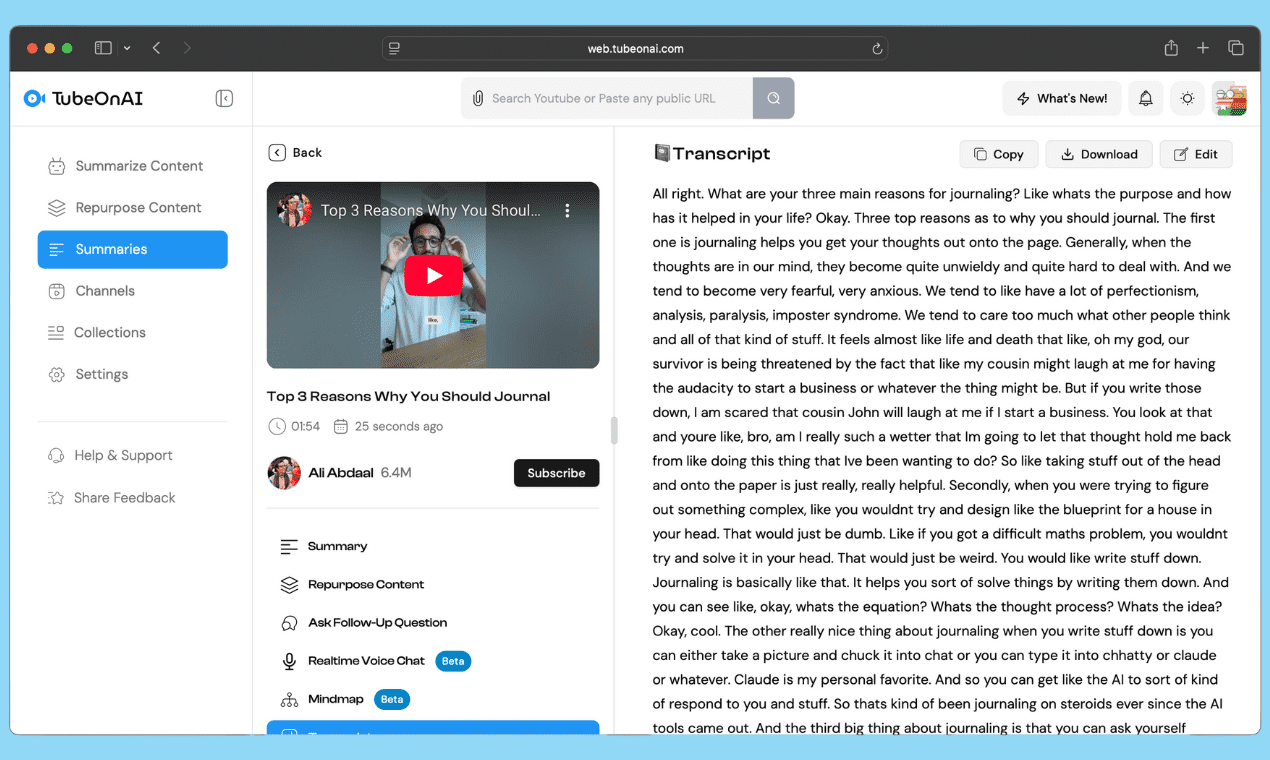
From the dashboard, tap into search bar and paste your desire shorts that you want to get transcript for.
Try for free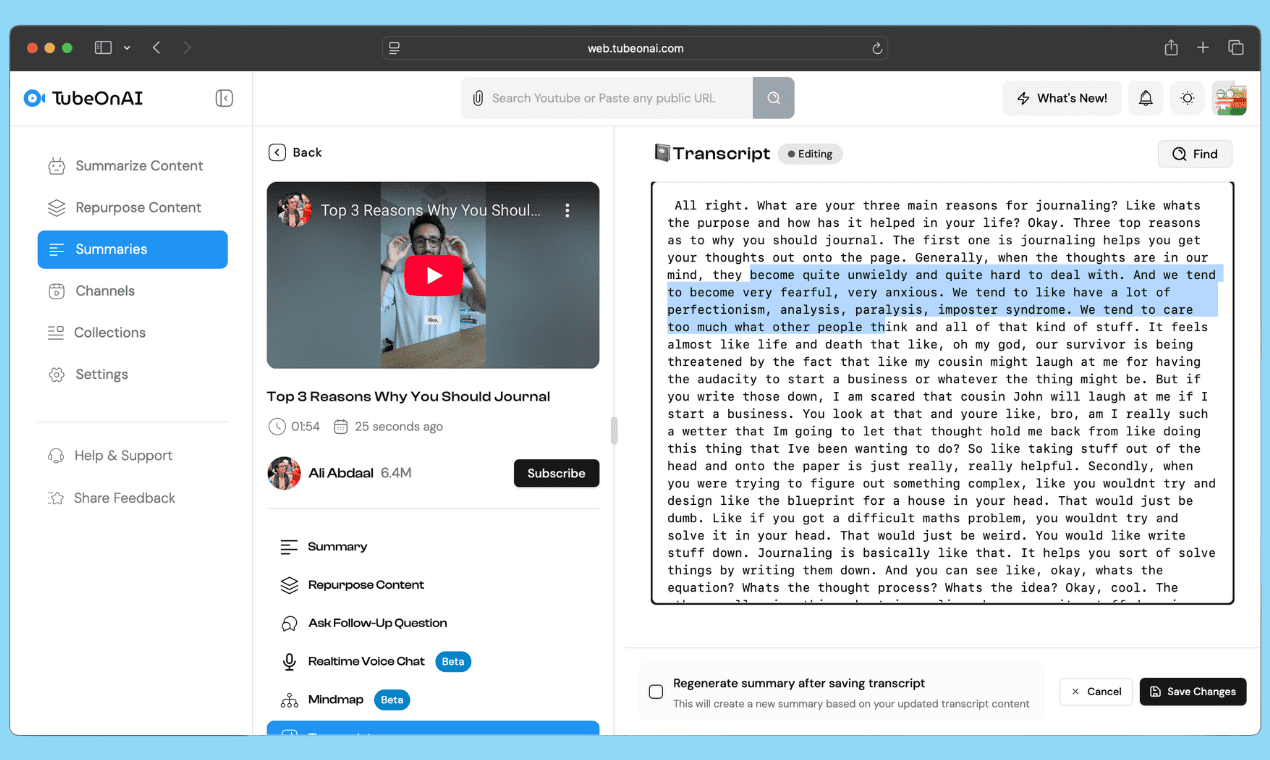
Now after summarizing, you will see "Transcript" tab, click there and get your fresh transcript generated by AI.
Try for freeYou can edit, copy or download the transcript according to your use. Also, you can change, add your own context & repurpose for further use.
Try for freeTurn your youtube shorts into transcripts & prepare your next content effortlessly. Get 20% off for creators only offer. No credit card required.
Add your Shorts content list to your personal collection library, where you can create unlimited categories and access them anytime you want.
To get auto-summaries of long content, just subscribe to your favorite creators or competitors to stay up to date on fresh content.

After extracting the transcript, you can turn any ideas into reality using our repurpose feature.
Transcribe YouTube Shorts instantly to turn them into blog posts, captions, scripts or longer videos.
Quickly extract quotes, key points or hashtags from the transcript for posting across platforms like Instagram, Facebook, or LinkedIn.
Turn spoken words into searchable text, boosting visibility and engagement through optimized transcripts.
Paste your YouTube Shorts link into the search bar on your dashboard, let TubeOnAI summarize it, then open the "Transcript" tab to get your AI-generated transcript in minutes.
TubeOnAI works with any verbally spoken YouTube Shorts, letting you transcribe them and repurpose the content into blog posts, captions, scripts or longer videos.
TubeOnAI's AI delivers fresh, high-accuracy transcripts that turn spoken words into searchable text you can edit, copy, download or repurpose.
Yes. You can transcribe any verbally spoken YouTube Short, including clips under one minute, in just a few minutes.
Yes. TubeOnAI is available on Web, iOS, Android and Chrome, so you can transcribe Shorts from any device.